
Activate Your Profile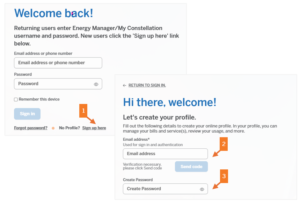
1. Visit account.constellation.com and click on No Profile? Sign Up here.
2. Enter your email address and click Send Code button to verify your email address.
3. Create your password and follow the prompts to set up your profile.
Link Your Profile & Service Account 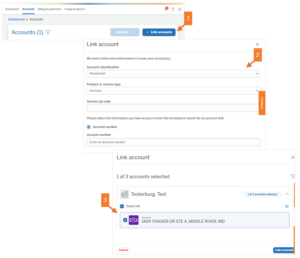
1. Click on the Accounts tab along the top, then click on the + Link Accounts button.
2. Select Residential and Services from the dropdown boxes, enter your Zip Code, and Home Services Account Number.
3. Select your account and click Link Accounts.
Enroll in AutoPay 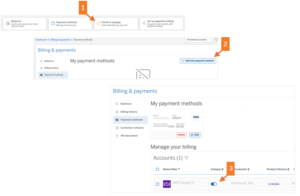
1. Click Enroll in Autopay from the Dashboard or go to Billing & Payments then Payment Methods.
2. Click +Add New Payment Method to add your credit card, debit card or bank account detail.
3. Slide the toggle to activate AutoPay and accept the AutoPay Terms.

